
After the massive success of Nano Banana 1 in 2025, Google introduced Nano Banana 2 in 2026 with faster AI understanding and more realistic image generation— this guide explains it step by step for beginners
Artificial Intelligence is dramatically reshaping how visual content is created. Whether you’re a social media creator, a designer, a blogger, or just someone who loves creating cool images, learning how to write prompts is a superpower in 2026. This comprehensive Nano Banana 2 Beginner Prompt Guide for Creators (2026 Edition) is everything you need to go from beginner to confident prompt writer — with real examples, image walkthroughs, and pro tips to get the best results.
What Is Nano Banana 2?
Nano Banana 2 is one of the latest AI image generation tools developed by Google. It is part of a new generation of AI tools that can turn plain text into stunning images — quickly, easily, and with impressive visual quality.
Similar to other advanced AI systems built by companies like OpenAI, Nano Banana 2 converts simple text prompts into highly detailed and creative images.
What makes Nano Banana 2 stand out is its ability to understand detailed natural language, produce photorealistic results, control lighting and depth, and follow creative instructions more accurately than earlier tools.
In this guide, we’ll focus on using Nano Banana 2 from a beginner’s perspective — especially for creators who have never written a prompt before and want to learn step by step.
Nano Banana 2 vs Nano Banana 1 – What’s New and Improved in 2026
Nano Banana 2 is not just a small upgrade — it’s a big leap in how AI understands your words.If you used Nano Banana 1 in 2025, you will immediately notice these improvements.
1. Better Prompt Understanding
The new language model understands natural phrases and emotions better. You no longer need to write robotic prompts — simple human language works great.
2. Higher Detail and Resolution
Nano Banana 2 can generate up to 4K images with richer textures, skin tones, and lighting accuracy. This is a major upgrade from the older 1080p output of Nano Banana 1.
3. Realistic Lighting and Depth
The model has improved “depth mapping” and dynamic lighting rendering, which makes photos look more camera-accurate and less AI-painted.
4. Faster Generation Speed
Average render time reduced by 30–40% — you can generate high-detail images in seconds.
5. Smarter Style Blending
Now you can mix different styles like “cinematic + digital painting” or “photo + sketch” and get balanced results without distortion.
6. Accurate Text Rendering
Nano Banana 2 can generate clearer written text inside images (e.g., posters, logos, packaging) which was a big weakness in Nano Banana 1.
7. Supports Reference Images
You can upload a photo and ask the AI to replicate its pose or style — useful for brand shoots and product consistency.
What Is a Prompt and Why It Matters
At the heart of every AI image you see is a prompt — simply put, the text description you give the AI. This description influences:
-
What appears in your image
-
How realistic it looks
-
The style, lighting, and composition
-
The overall artistic tone
In other words — the better your prompt, the better your image.
A good prompt isn’t just random words mashed together. It’s structured in a way that guides the AI clearly but creatively. The rest of this article will teach you how to do exactly that.
Prompt Structure:
You can start with a basic structure like this:
Subject + Style + Environment + Lighting + Camera / Output
For example:
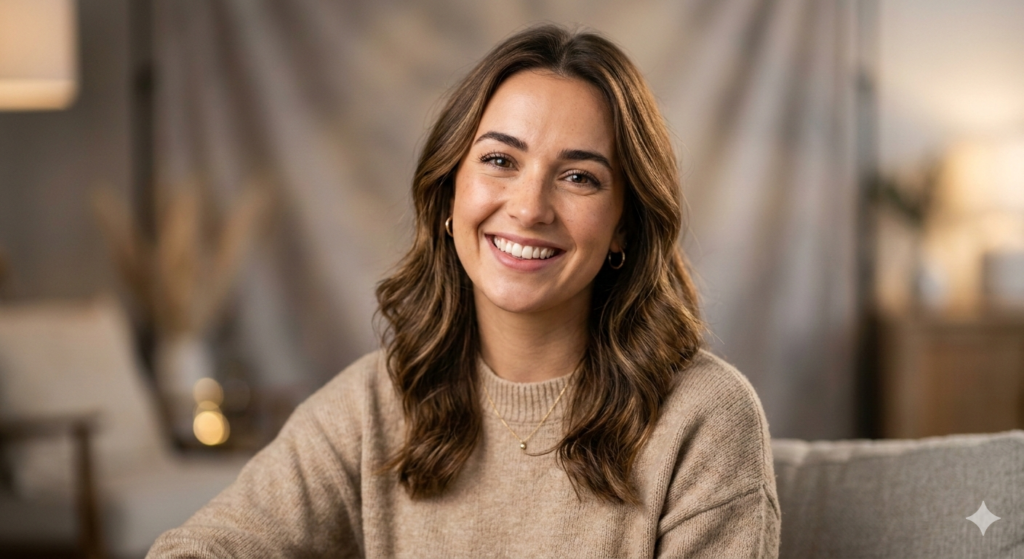
1. A warm, smiling young woman with soft studio lighting, photorealistic portrait, shallow depth of field, 85mm lens.
-
What this does:
-
This prompt tells Nano Banana 2 exactly what we want: a human portrait
-
Words like soft studio lighting and 85mm lens help the AI mimic real camera results
-
The final result should show a clear focused face with a nice blurred background — perfect for profile visuals
Result Example: You might see something like a well-lit face with natural expression and smooth background blur — just like professional photography.
-
2. Cinematic Landscape
Prompt:
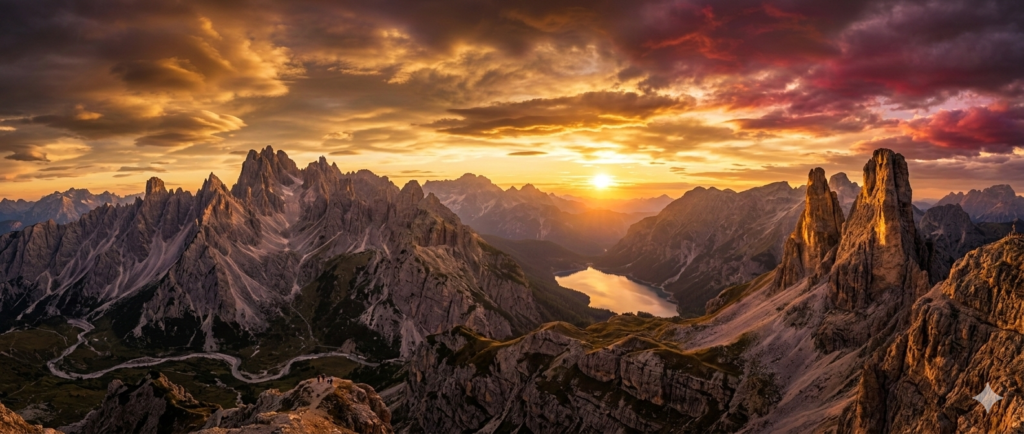
Epic mountain sunset landscape with dramatic clouds, warm golden light, ultra-detailed, wide panorama.
2 (Step-by-Step Guide)
What this does:
-
Focuses on dramatic lighting and wide environment
-
Works great for wallpapers, banners, or artistic backgrounds
Result Expectation: You should see vivid skies, layered mountain ridges, and radiant sunset effects.
3. Product Showcase
Prompt:
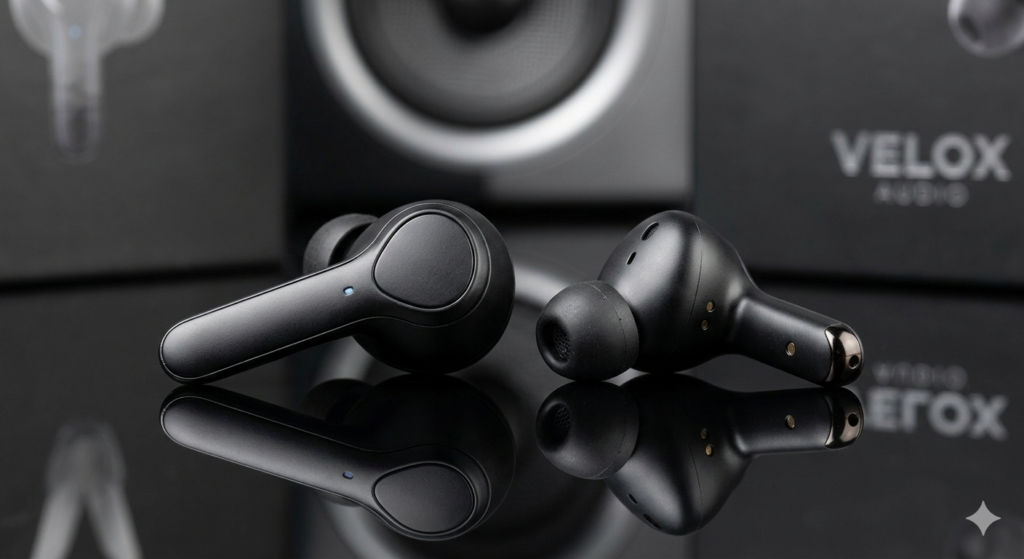
What this does:
-
Perfect for creators selling products or making ads
-
Instructions like reflective surface and sharp edges give it a professional product feel
Result Expectation: Look for crisp details and realistic shadows as seen in ecommerce photography.
Using Prompts in Nano Banana
Here’s how you actually use a prompt in Nano Banana 2:
-
Open the Nano Banana 2 interface (could be through the official app, Google tools, or a platform that supports it).
-
Locate the text box where you enter prompts.
-
Type or paste your prompt.
-
Generate the image.
-
Review the result and tweak your prompt if needed for better outcomes.
It’s simple! But the magic is in writing strong prompts — and that’s where this guide helps the most.
Nano Banana 2 Prompt Tips for Better Quality
Here are some pro tips to level up your image results further:
✔️ Use Specific Lighting Terms
Words like studio lighting, golden hour, or soft glow make a huge difference in mood.
✔️ Include Lens or Angle
Terms like 85mm portrait lens, wide angle, or top view give a more defined look.
✔️ Add Art Style Words
Words like photorealistic, digital painting, oil painting style, cinematic help shape the aesthetic.
✔️ Start Simple, Then Add Details
Begin with a basic version, generate an image, then refine your prompt for improvements.
Common Mistakes Beginners Make (And How to Avoid Them)
Even after learning prompts, many beginners fall into these traps:
❌ Too vague prompts — e.g., “make a picture of a girl”
✔️ Fix: Add details like lighting, style, camera reference
❌ Contradictory instructions — e.g., “photorealistic watercolor painting”
✔️ Fix: Choose one clear style
❌ Overstuffing words without structure
✔️ Fix: Keep it organized — subject first, then style and lighting
Being clear and structured makes your prompt more readable for the AI, and you get better image quality.
Advanced Prompting Ideas to Explore
Once you feel comfortable with the basics, you can experiment with these:
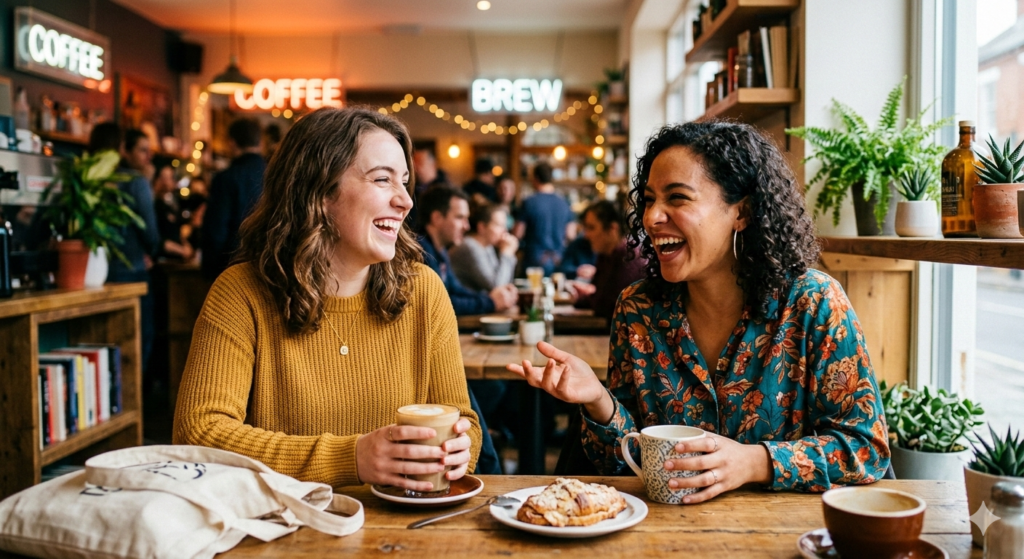
Two friends laughing in a coffee shop, vibrant colors, candid photography style, shallow depth of field.
Future Updates and Upcoming Features
According to Google’s AI roadmap, future updates for Nano Banana 2 will bring even better color correction, motion-blur simulation, and 3D object rendering support.
This means creators will soon be able to produce cinematic videos or animated frames from the same prompt system.
Why This Guide Matters
By now you should clearly understand:
-
What Nano Banana 2 is
-
How prompts work
-
How to write prompts that actually deliver good images
-
How to upload and showcase those images on your blog
-
How to refine your prompt writing skills step-by-step
This Nano Banana 2 Beginner Prompt Guide for Creators (2026 Edition) equips you with practical examples, clear explanations, and a simple workflow. . Start with the beginner prompts above — then refine, iterate, and create visuals that match your ideas exactly.
Keep experimenting and you’ll soon be producing visuals that look like they were made by a pro — all just from text. Happy creating!
Also Read – AI Spam Email Detection Explained: How Artificial Intelligence Filters Spam Step-by-Step
Also Read – Why Are Laptop Prices Increasing in India? How the AI Boom Is Making Computers More Expensive
Also Read – SEBI Approves 4 IPOs – Alpine Texworld, Anjali Labtech & More Ready to Launch